The product, as it is today.
These are real screens from the tool. The process and the files in them are made up for the sample.
Tap a picture to open it full size.
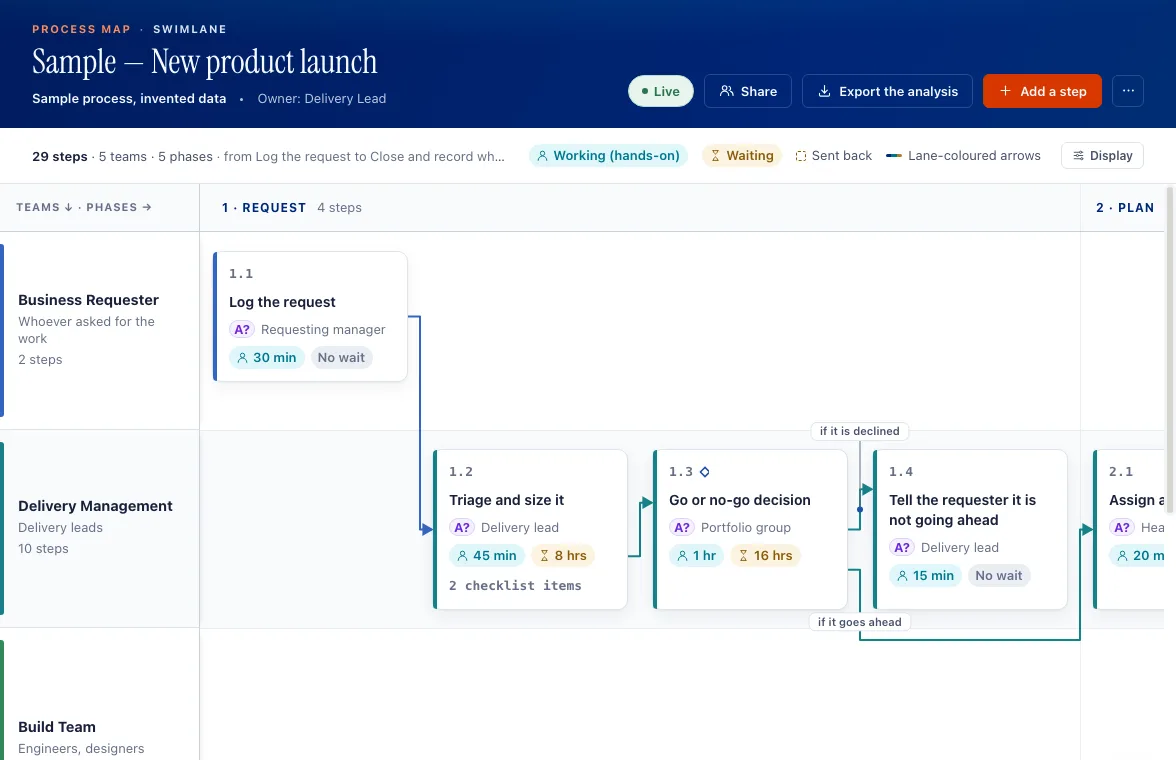
The map
One lane per team, the steps in order, who does each one, how long the work takes and how long it sits waiting.
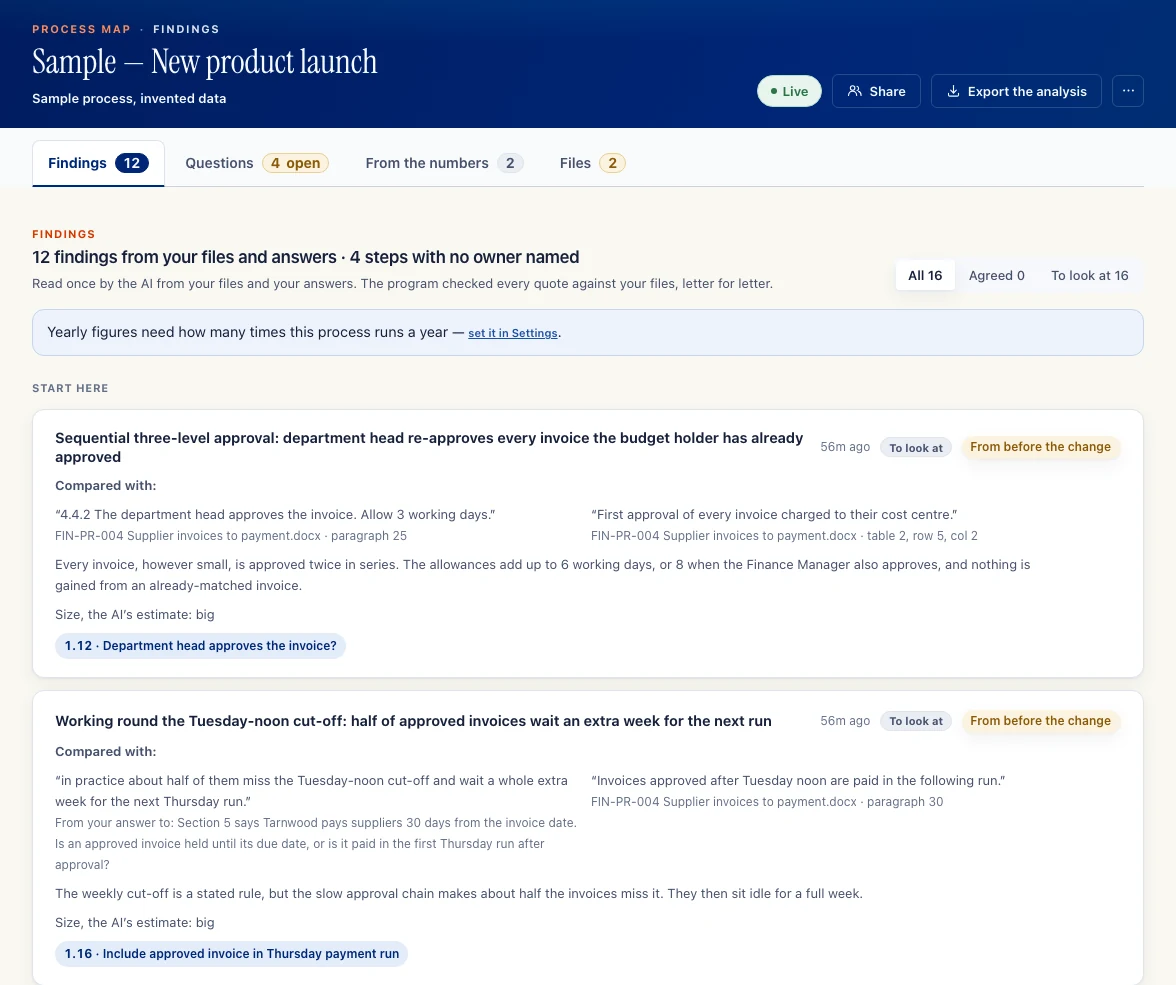
Findings with the words that prove them
Findings quote your files, word for word, next to the step they are about.
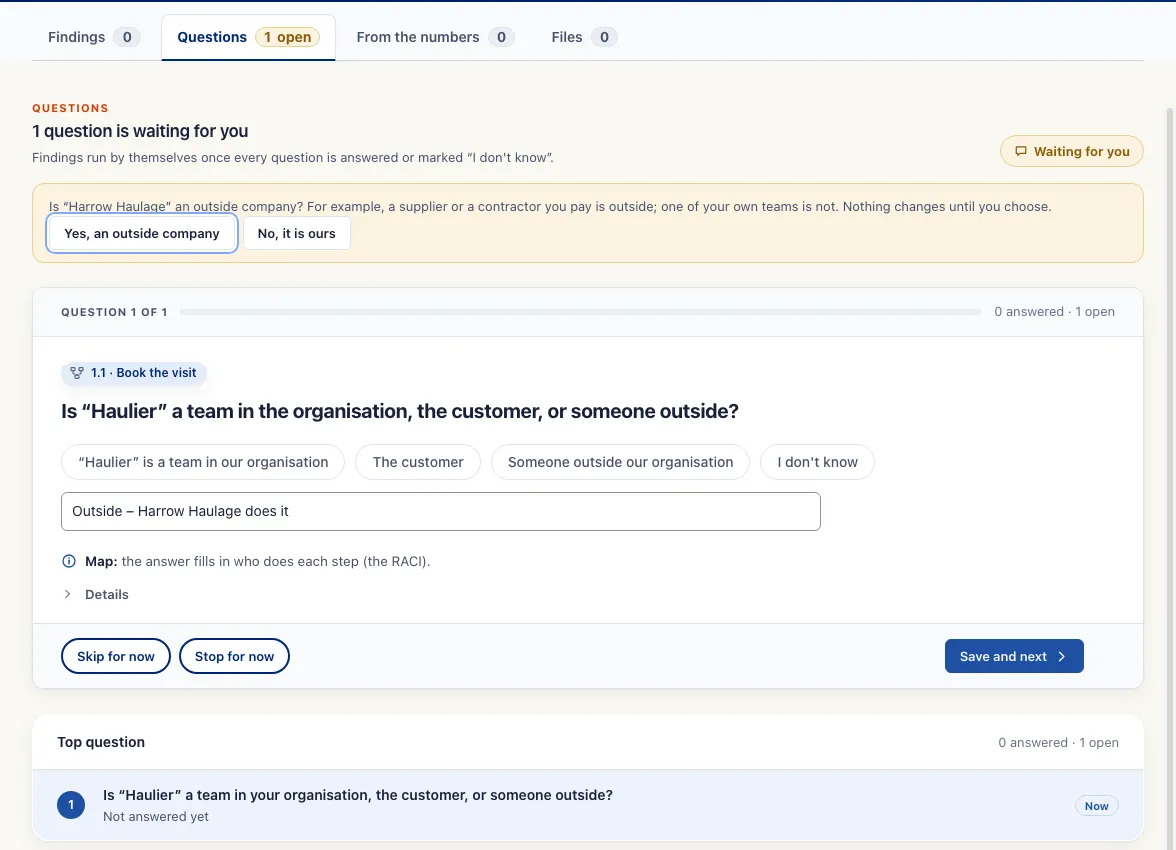
Questions when the files leave a gap
When your files leave something unclear, the tool asks you, one question at a time, and "I don't know" is always an answer.
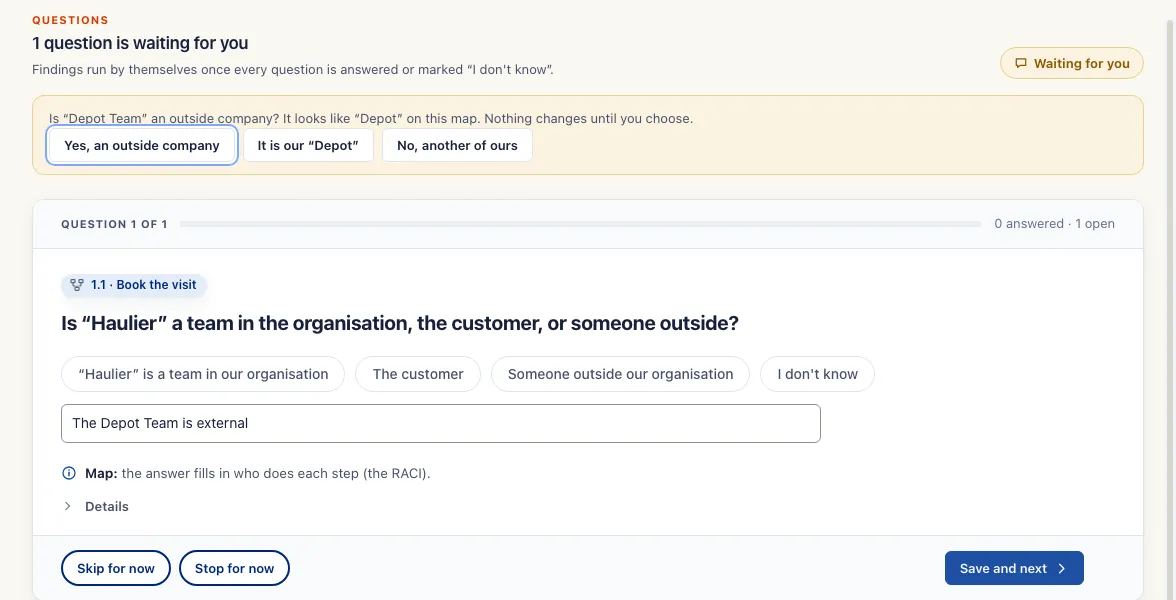
Nothing changes until you choose
When a name looks like one already on the map, the tool asks you before it changes anything.
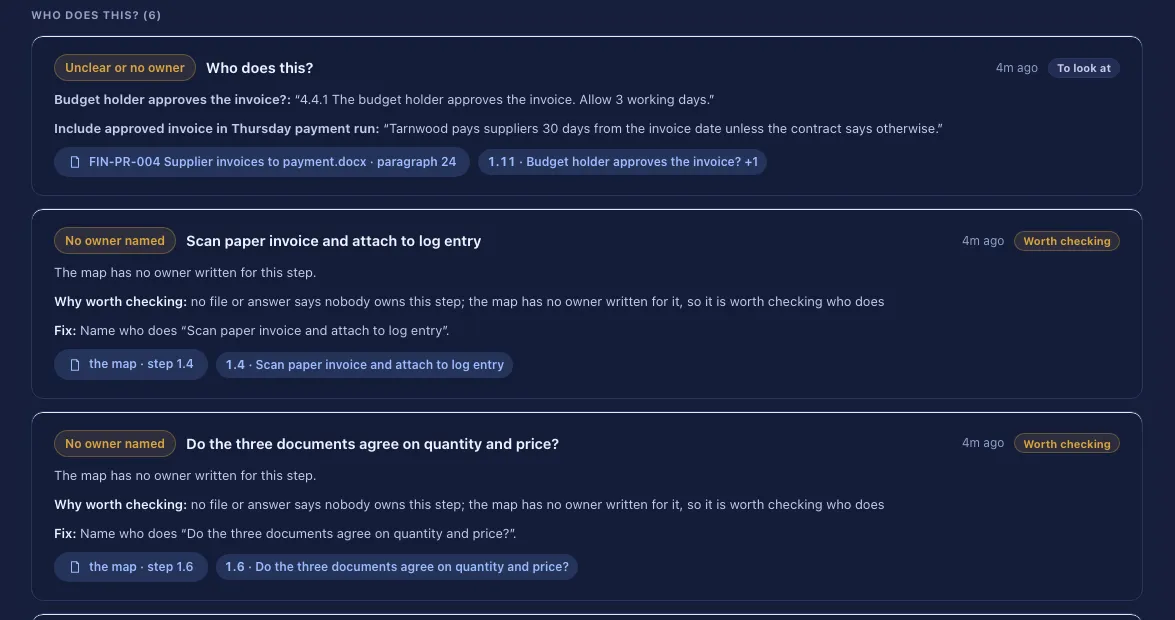
Steps nobody owns
Steps with no named owner are flagged, so someone can say who does them.
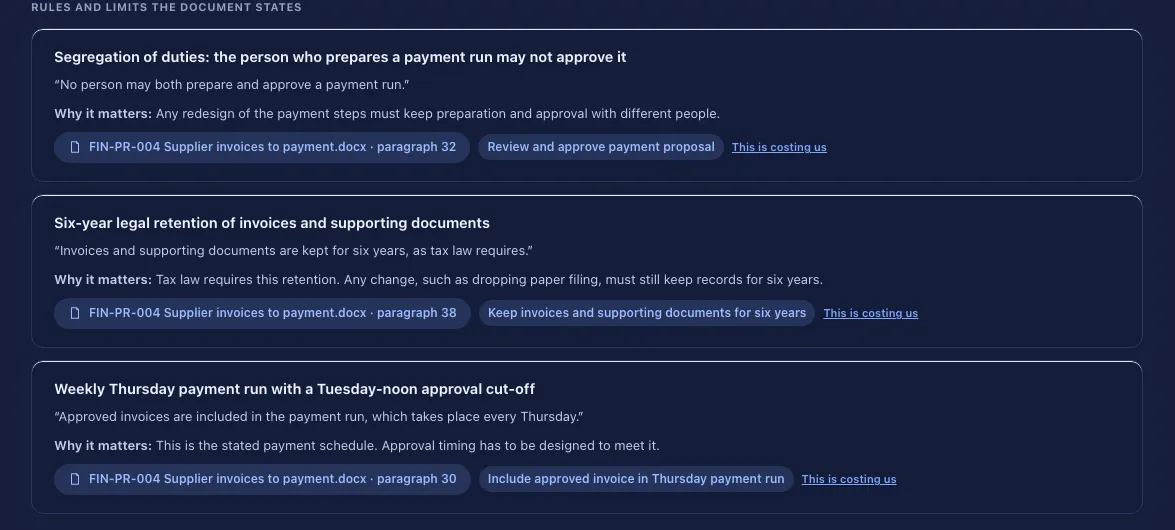
The rules your document states
Rules in the document are kept with their quote and the step they apply to.
The home page tour.
A short scroll through the moving map on the home page, from files to findings to the plan.
No sound. The sample process is made up.
Try it on one of your processes.
Pilots are paid and small: one process and the files you already have.